Customers
A customer is a sender or a receiver of packages. Hikyaku keeps the name, phone number, email and address of each customer. It finds the location of the address on the map, so that the planner can calculate the route.
Who can use this page: team members with customers.view. To add or change a customer, you must have customers.add or customers.update. Refer to Access Control.
See all customers
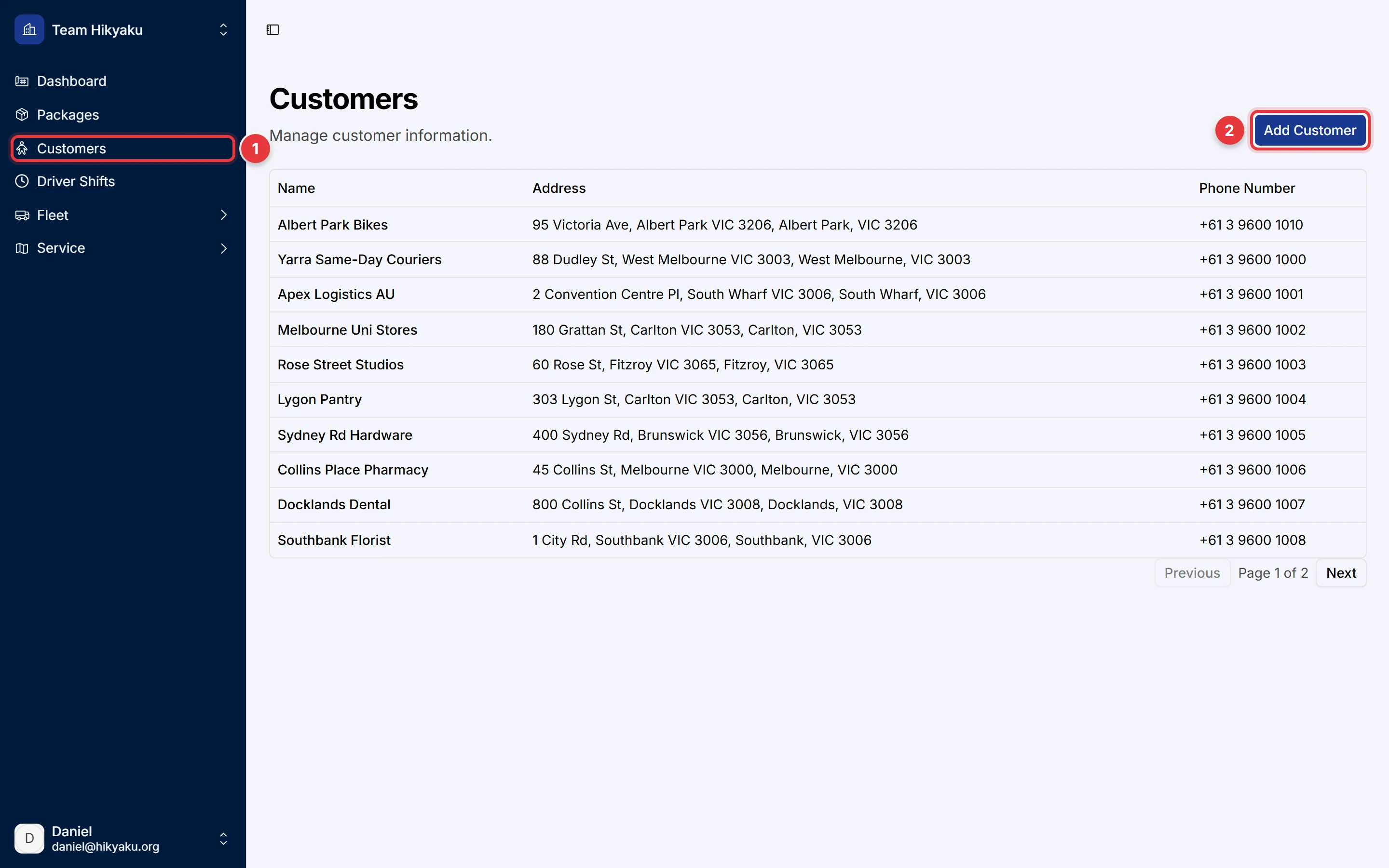
- In the sidebar, click Customers.
- Click Add Customer to make a new customer.
Click a row to open the customer page. The customer page shows the contact details and the Package activity: the packages that the customer sent and received.
Add a customer
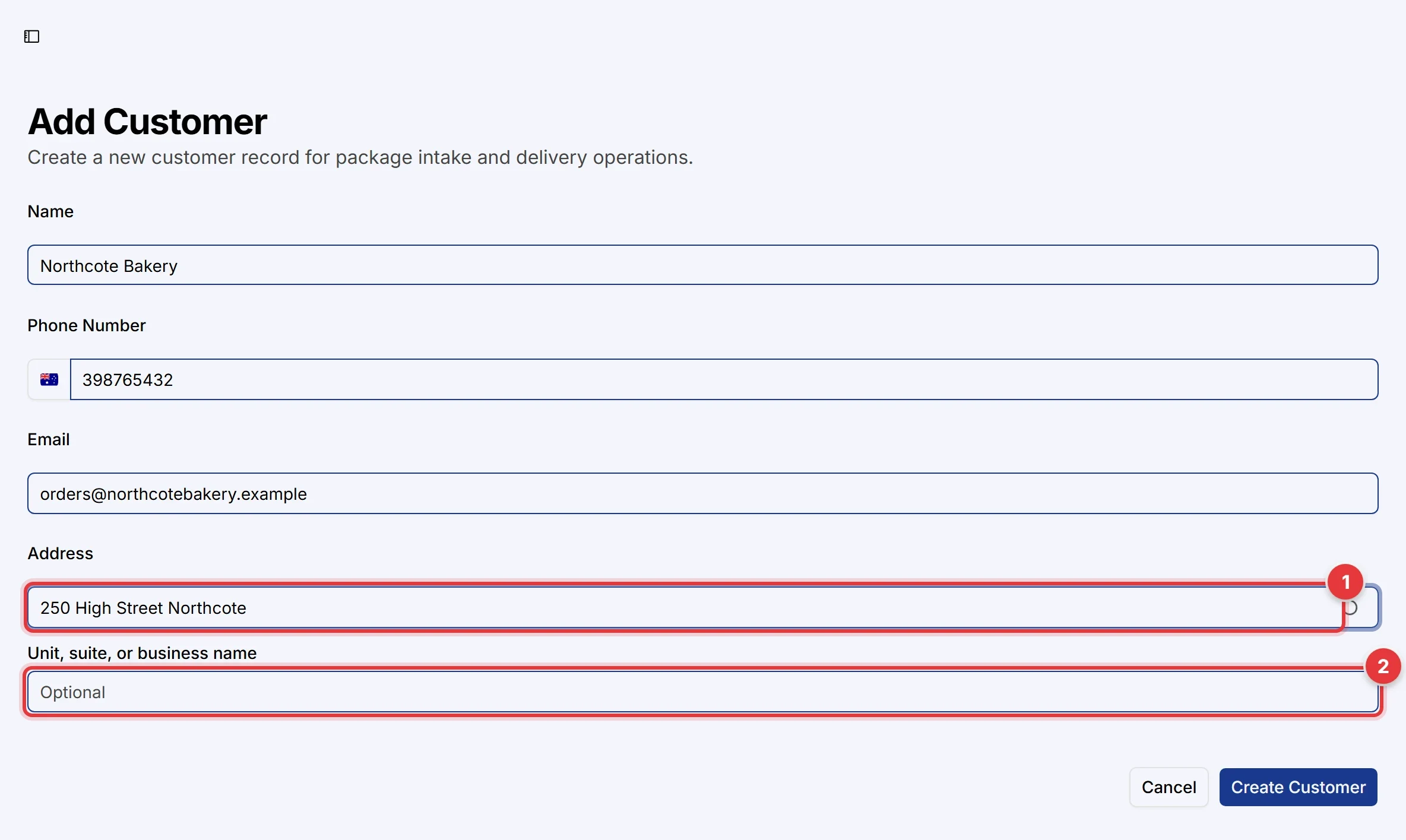
- Type the Name, the Phone Number and the Email.
- In Address, type the street address. Select the correct address from the list.
- If Hikyaku shows "This looks like a building. Which unit or business?", type the unit, suite or business name in Unit, suite, or business name. If the driver must go to the main entrance, click the option for the main entrance.
- Click Create Customer.
The unit shows on the shipping label and in the driver app. It helps the driver find the correct door in an apartment or office building.
If the address is outside all your service areas, Hikyaku shows Customer outside service area. You can save the customer. Packages to this address go to any free driver, and their coverage is Fallback: no coverage.
Change a customer
- Open the customer page.
- Click Edit.
- Change the details, then save.
A change to the address does not move packages that Hikyaku already planned.